Yes, the cookie consent manager is free. You can scan your website, create a cookie consent banner, add a preference center, and generate a cookie policy for free with our Basic plan.

Cookie Consent Managed Solution for Cookie Laws
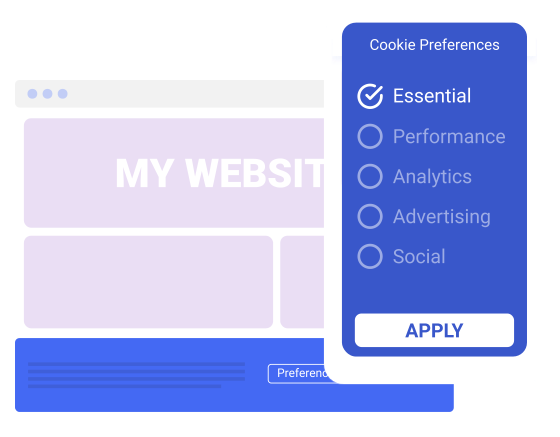
Use our cookie consent tool to create a policy for your cookies, build a cookie consent banner, and deliver seamless cookie consent management while complying with global privacy laws like the GDPR, CCPA, and ePrivacy Directive. Get started for FREE today!
- GDPR
- ePrivacy
- CCPA
- UK GDPR
Confused? Jump to: What is Cookie Consent?

Trusted by over 2,000,000 businesses worldwide


All-In-One Cookie Consent Solution
“Termly is a great all-in-one cookie and privacy management tool for any website. . . . Would definitely recommend Termly to anyone looking for a simple and effective way to deploy privacy settings across websites.”

Lauren Read Lauren’s Review

Cookie Auto Blocker
Our cookie auto blocker detects and categorizes, and then blocks certain scripts from running based on users’ unique cookie settings.

Cookie Policy Included
Once your cookies have been categorized, our tool will automatically provide you with a cookie policy perfectly tailored to your business.

Cookie Consent Banner
Easily collect user consent and comply with the GDPR and ePrivacy Directive with our fully customizable cookie consent banner.
Cookie Consent Made Easy

Simplify Compliance With Termly’s Cookie Tool
Cookies are small data files that are placed on a user’s computer or mobile device when they visit a website. They can be used to track user behavior, remember user preferences or settings, improve user experience, and more.
Termly’s cookie consent tool makes meeting these compliance requirements fast and easy.
Get started with our cookie management tool today for free!
About Our Cookie Consent Solution & Auto Blocker
Achieve the following highly technical feats at the click of a button:

The GDPR, CCPA, and ePrivacy Directive all require proper cookie consent management to be compliant – Leila, Privacy Compliance Specialist @ Termly
How the Cookie Consent Manager Works
Termly’s cookie consent manager works in just a few steps. You’ll input some information, but most of the work is done behind the scenes. When it comes to banner and preference center installation, we’ll help you out with code snippets you can simply copy and paste onto your website. We also provide an automatic cookie-blocking method to simplify the final steps.
Here is a basic overview of the cookie consent manager installation process:
“The easiest place to generate terms and conditions and a privacy policy to get moving and out to market.”

Kyle Read Kyle’s Review
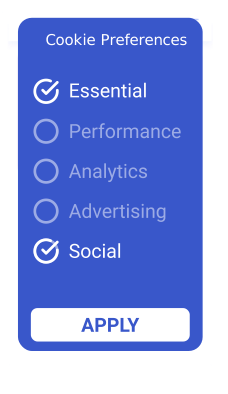

1. Cookie discovery and classification
It’s as easy as inputting your website’s URL into the cookie consent tool and starting the scan. Our software will find, review, and compile a list of your website’s cookies.
2. Cookie consent banner customization
Blocking cookies is an essential part of complying with cookie legislation like the GDPR. You are required to block cookies until your website visitors give you consent. Our tool will automatically block third-party cookies and scripts for you until a user has consented to them.
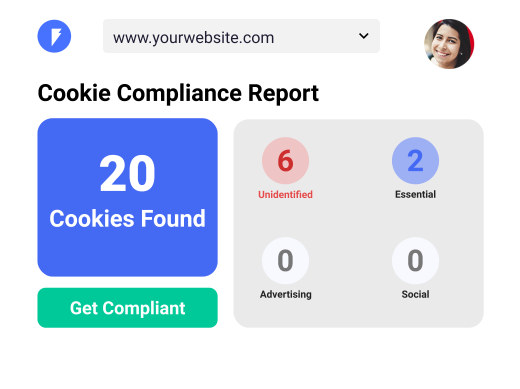

3. Cookie consent banner and preference center installation
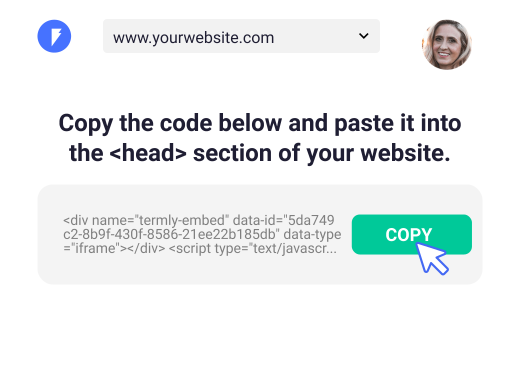
Once you’re ready to install your consent banner, simply copy the auto-generated code snippet and paste it onto your website. Preference centers allow visitors to change their cookie preferences at any time.

4. Cookie policy and auto updates
Some laws require websites to publish a cookie policy along with their cookie consent banner and preference center. Our cookie consent manager makes adding a cookie policy easy. After you complete your scan and classification, we’ll provide the cookie policy for you! Simply add it to your site using HTML, a code snippet, or a URL.

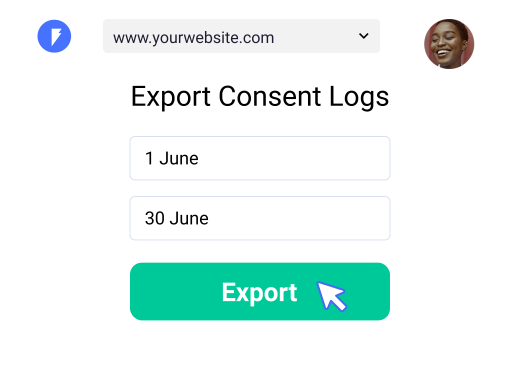
5. Consent Logs, "Do Not Sell" link, and Data Subject Access Request form
Some laws, like the GDPR, require user consent before collecting personal information. You’ll need to store these user consent logs in case of an audit. You also likely need to provide ways for users to contact you about the use of their information. The CCPA requires a “Do Not Sell My Personal Information” link to be displayed on your website to allow users to request that you no longer sell their personal information.
In addition, the GDPR and CCPA both require you to give users a way to contact you about their data. A Data Subject Access Request (DSAR) form is a way to let your users submit requests to opt out of the sale of data, request their information be deleted, and more. Consent logs, a “Do Not Sell” link, and a DSAR form are all available in your Termly dashboard.
Cookie Consent Explained
What is cookie consent?
Cookie consent is the act of consenting to, rejecting, or specifying the use of cookies on a website. As a website owner, some laws — like the GDPR — require you to obtain a user’s consent before using cookies and allow them to choose which ones they want to allow. Other laws — like the CCPA — only require you to give users an easy way to opt out of cookie usage.
We handle this process for you and keep consent logs in case you’re ever audited.
What is a cookie consent notice?
A cookie consent notice — or banner — is how website owners can easily collect cookie consent from users and allow them to manage which cookies they accept. It is typically positioned at the bottom of a page when users first visit a website and displays three buttons:
- Accept Cookies
- Decline Cookies
- Cookie Preferences
Our tool will automatically generate this banner for you and allow you to customize it to match your website.
When do I need to get user consent to use cookies?
You will need to gain cookie consent from users if:
- You fall under the jurisdiction of laws such as the GDPR or ePrivacy Directive — aka the “EU Cookie Law.”
- Your website uses the types of cookies that are not deemed “essential” under these laws.
Our tool allows you to select which regions you service and whether or not you need to comply with these laws.
How do I implement a cookie consent solution?
Our cookie consent manager makes your life easy by automatically managing the requirements needed for legitimate cookie consent. We handle the following:
- Discovery, categorization, and blocking of cookies
- Creating your cookie notice and policy
- Keeping consent logs
Our Cookie Consent Manager will simplify the process of obtaining consent, keeping logs, and allowing users to set cookie preferences. – Leila, Privacy Compliance Specialist @ Termly
Cookie Consent FAQ
We answer the most frequently asked questions we get about cookie consent
and why our cookie consent manager is the best solution.


Our expert legal team works with our engineers to keep the Cookie Consent Manager up to date with current and future data privacy laws. – Raffaele, Head of Marketing & Partnerships @ Termly
Our Full Suite of Compliance Solutions

Create a compliant privacy policy that outlines your data collection practices

Establish guidelines and safeguard your business with custom terms
Create a managed consent solution to protect your blog, website, or app

Generate a compliant and automatically updated End-user License Agreement
Related Articles About Cookies
-
California Invasion of Privacy Act (CIPA): Overview & Summary
ArticlesOctober 13, 2026
Amanda Lee, CIPP/US -
How to manage user consent when using Google Analytics
ArticlesOctober 13, 2026
Amanda Lee, CIPP/US -
What Does the CCPA Say About Targeted Advertising?
ArticlesSeptember 1, 2026
Amanda Lee, CIPP/US -
Ask The Privacy Experts: What is a Cookie Consent Manager? Does my website really need one?
ArticlesAugust 18, 2026
Natasha Piirainen -
Ask the Privacy Experts: What Happens When Someone Rejects Cookies? How Does It Impact My Business Website?
ArticlesAugust 11, 2026
Masha Komnenic CIPP/E, CIPM, CIPT, FIP -
Louisiana Data Privacy Act (LDPA): First Look & Summary
ArticlesAugust 3, 2026
Natasha Piirainen -
Vermont Data Privacy and Online Surveillance Act: First Look & Summary
ArticlesJuly 23, 2026
Natasha Piirainen -
How Long Should You Keep Records of User Consent?
ArticlesJuly 17, 2026
Natasha Piirainen -
Ask the Privacy Experts: What exactly is a Consent Management Platform? And why do so many websites use them?
ArticlesJuly 16, 2026
Natasha Piirainen