

If your website uses Google Analytics, ensure you’re managing user consent for data sharing in a way that complies with all applicable data privacy and wiretapping laws.
Google Analytics is a third-party service that tracks users’ website behaviors, including details like what other websites the user is browsing, what they clicked to land on your website, search history details, heat map data, and more.
Privacy laws like the GDPR and CCPA, and even wiretapping laws like the California Invasion Privacy Act (CIPA) impact if, when, and how your website can lawfully use Google Analytics.
Common requirements include informing users that your site uses Google Analytics, explaining what each cookie does and why your site uses it, enabling them to opt into or opt out of targeted advertising and analytics (depending on which laws apply), and giving them an easy way to change their minds at any time.
This is part of Termly’s ‘Ask the Privacy Experts’ series, where a member of our team briefly answers one of the top questions we hear from businesses about how data privacy and consent management impacts them.
How Does Google Analytics Process My Website Users Personal Data?
Google Analytics processes personal data of the users that land on your website in the following ways:
- Placing first- and third-party cookies: Google Analytics places JavaScript tags on users’ browsers to generate a random, unique client ID that tracks a user’s session interactions, typically without storing names or emails.
- Collecting IP addresses: Google Analytics does mask IP addresses and does not store full IP addresses by default, using this information for coarse geographic derivation and basic security.
- App identifiers: For your visitors using mobile apps or devices, an ID is also randomly generated via software development kits (SDKs) to measure user agreement.
When you use Google Analytics, you get user interaction, traffic source, and device data that helps you understand how people use your site or mobile app, this includes:
- User counts, like the total number or new or returning visitors to your site.
- Demographics, like users’ approximate location, language settings, age, and interests.
- Technology data is collected, including the types of browsers used, operating systems, and device categories.
- Page views are collected, meaning you see which specific pages users visited and how many times they loaded each page.
- User engagement is tracked, like how long a user spent on a certain page or website and which actions they took.
- You can track custom events, which are specific actions like button clicks, video plays, file downloads, or even scroll depths.
- Traffic sources are logged, meaning the origin of where your visitors came from, such as a search engine, social media network, or a direct link.
- Campaign data is also tracked for performance purposes, like ad clicks, email links, and UTM parameters.
- Conversions are tracked, which are key actions completed by users, like making a purchase, signing up for your newsletter, or submitting a contact form.
Many of these details fall under the broad definition of ‘personal information’ used by privacy laws like the GDPR and the CCPA.
Because there’s a monetary exchange happening, it’s also considered a ‘sale’ or ‘sharing’ of data with a third-party entity.
This means your use of Google Analytics is subject to the strict obligations and requirements outlined by these laws.
Learn more about consent management for Google Analytics from Hanna in our Termly video below!
What Laws Impact My Use of Google Analytics?
Several data privacy laws impact how your website can use Google Analytics to lawfully collect, process, and use personal information about website users:
- General Data Protection Regulation (GDPR)
- ePrivacy Directive
- California Consumer Privacy Act (CCPA)
- Brazil’s General Data Protection Law (LGPD)
- Virginia Consumer Data Privacy Act (VCDPA)
- Health Insurance Portability and Accountability Act (HIPAA)
- All other U.S. state-level privacy laws
If I’m using Google Analytics on my Website, Does That Mean I’m Sharing Data with a Third Party?
Yes, if you’re using Google Analytics, your website is sharing personal data about your users to a third party, Google.
The cookies placed on their browsers are third party cookies that come from Google Analytics, and Google has access to the information collected.
This is why the use of Google Analytics goes beyond collection of personal data and also falls under the legal category of sharing or selling data to third parties, especially under the CCPA, which explicitly includes guidelines around data sharing.
How Can I Lawfully Manage User Consent for Google Analytics on my Website?
To lawfully manage consent for Google Analytics on your website, you’ll need to use several consent management tools, including:
- Present your website users with a properly configured cookie consent banner,
- Include a link to a cookie policy on your consent banner,
- Your cookie policy should disclose that you use Google Analytics and include a list of all cookies from GA your website uses and why,
- Give your users access to a preference center so they can opt into or out of the use of GA cookies and tags easily at any time,
- Keep logs of your users consent choices, in case of a privacy audit or investigation,
- Embed a DSAR form on your stie so your users can easily follow through on their privacy rights.
You can try to do all of this manually, but it takes a lot of time and effort, and required intense technical and coding knowledge and familiarity with data privacy laws.
Or, you could use an all-in-one solution, like Termly, which offers a top-of-the-line consent management platform that adequately discloses your use of GA cookies.

Written by Amanda Lee, CIPP/US
Amanda is a Documentation Specialist and Certified Privacy Professional (US). She converts product documentation into easily understood product for Termly's customers. She also has strong understanding of US privacy laws and regulations, helping to keep customer policies up to date at a time when US states are enacting more and more privacy laws.
Read all posts by Amanda Lee, CIPP/US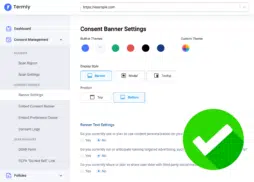
FREE Cookie Banner for Websites