

If you run a WordPress site, you’re probably focused on plugins, performance, and creating a great user experience, but have you considered how your site uses cookies and other tracking technologies?
Tools like analytics plugins, ad networks, and embedded content often load cookies that may require user consent under laws such as the GDPR, the ePrivacy Directive or the CCPA. That means you need a clear, reliable way to inform visitors and give them control over how these cookies are used.
Below, you’ll learn how cookie consent works in WordPress, when consent is required, and how Termly can help you set up a banner that keeps your site transparent and aligned with global privacy requirements.
How Cookies Work in WordPress
Cookies are small data files stored in a user’s browser, and WordPress uses them for everything from basic site functionality to more advanced tracking.
While all cookies behave the same once they’re in the browser, how they’re added and why they’re used can vary widely in WordPress, depending on your theme, plugins, and integrations.
Understanding where cookies come from helps you determine which legal requirements apply and how to manage them properly.
Built-In WordPress Cookies
WordPress core uses cookies for tasks such as:
- Logging users in
- Managing sessions
- Remembering comment form details
These are considered essential cookies, meaning they’re required for the site to function or to provide a service requested by the user. Usually, these cookies do not require consent.
Cookies Set by Plugins and Themes
Most cookie activity on WordPress sites comes from plugins and themes. These may include:
- Analytics tools (e.g., Google Analytics plugins)
- Marketing and advertising plugins
- Social media embeds or share buttons
- Form builders and CRM integrations
- Security plugins
Because these tools often track user behavior, personalize content, or support advertising, their cookies are usually non-essential and may require consent before loading.
To learn more about the differences between essential and non-essential cookies, check out our guide on the different types of internet cookies.
Third-Party Scripts and Embeds
Any third-party content you add, such as YouTube videos, maps, chat widgets, and embedded posts, can also store cookies in your visitors’ browsers or collect data from their devices.
Since these cookies are delivered by external services that you don’t control directly, it’s crucial to identify them and understand what information must be disclosed to users, and whether consent is required.
Why This Matters
With WordPress, cookies can come from many sources.
In practice, many site owners are surprised by how many cookies and tracking technologies are active on their WordPress sites, particularly those set by plugins or tools they didn’t configure themselves.
This makes it essential to:
- Identify which cookies your site uses
- Understand whether they load before or after user consent
- Apply proper disclosures and blocking where needed
Sorting this out is a key part of building a transparent, user-friendly WordPress site that complies with applicable privacy regulations.
Cookie Consent Requirements for WordPress Sites
If your WordPress site uses cookies for anything beyond basic functionality, such as analytics, advertising, personalization, or embedded content, you may need to comply with cookie consent requirements and other obligations under various privacy laws.
Because WordPress sites often rely on plugins and third-party tools, it’s common for cookies to load automatically in the background. That makes it especially important to understand what laws apply, what is expected from you, and how to give visitors proper control.
“I often see small and medium-sized businesses struggling to determine which cookie rules apply to them,” says James Ó Nuanáin, CIPP/E, CIPM, CIPT, “especially when their sites are accessible globally.”
He adds, “with so many privacy laws in force worldwide, compliance can quickly feel like a daunting task.”
Privacy Laws Impacting Cookie Consent
Several global privacy laws regulate how cookies can be used, when consent is required, and what information you must disclose to users. While each law has its own rules, they all focus on transparency and user choice.
Key regulations that may apply to your WordPress site include:
- General Data Protection Regulation (GDPR): Requires prior opt-in consent for non-essential cookies and emphasizes clear, informed consent.
- ePrivacy Directive (EU Cookie Law): Requires consent before placing or accessing non-essential cookies on a user’s device.
- California Consumer Privacy Act (CCPA): Requires sites to disclose tracking practices and provide an opt-out of data sharing or selling.
- Other global laws: Laws like the LGPD (Brazil) and PIPEDA (Canada) include cookie-related requirements depending on where your users are located.
If your audience includes visitors from these regions, you’ll need a consent strategy that meets their expectations and complies with local law
What Cookie Consent Should Look Like on a WordPress Site
Now that you know which laws may apply, here’s what a proper cookie consent experience should look like on a WordPress site.
Because so much of WordPress relies on plugins and embeds, these steps are essential for ensuring cookies don’t load before a user has made their choice.
Present a Cookie Consent Banner on First Visit
The most important step is to display a cookie consent banner the moment a visitor lands on your site, before any non-essential cookies are dropped.
For WordPress sites, this is especially important because many plugins trigger cookies as soon as they run.
In my experience, compliance issues often occur where a proper cookie banner is in place, but non-essential cookies are set before users make their choice. Analytics plugins, ad scripts, and social embeds often start tracking by default unless you block them upfront.
Your banner should:
- Tell users that your site uses cookies
- Explain why (analytics, ads, personalization, etc.)
- Offer options to accept all, reject all, or customize preferences
- Provide clear information without nudging or forcing users into a choice
Under laws like the GDPR, valid consent must be:
- Informed – Users must know what they’re agreeing to
- Freely given – No cookie walls or “accept to continue” approaches
- Specific and granular – Users choose categories, not just yes/no
Clear, straightforward language and options help ensure users understand their choices and can interact with your banner in a way that supports transparency and trust.
Together, these steps create a consent experience that aligns with modern privacy expectations and works smoothly with the plugins and tools your WordPress site relies on.
Link to a Clear Privacy or Cookie Policy
A cookie banner is just one part of the consent experience. Users should also be able to easily access a policy that explains your cookie practices in greater detail.
On WordPress, this is usually done by:
- Linking aCookie Policy orPrivacy Policy in the banner
- Displaying the link in the footer, menu, or account settings
- Ensuring the policy is accessible from every page
Your policy should outline:
- The types and categories of cookies your site uses
- What each cookie does
- Whether cookies are first-party or third-party
- How long cookies stay active
- How users can update or withdraw consent or opt out
- Whether third parties collect data through your plugins or embeds
Because WordPress sites often load cookies from many sources, your disclosures should be transparent, up to date, and specific enough for users to understand what’s happening behind the scenes.
You can generate these disclosures using Termly’s Privacy Policy Generator or Cookie Policy Generator to make sure everything is clear and tailored to your site.
Offer a Cookie Preference Center
Consent shouldn’t be a one-time decision. Visitors should be able to revisit their choices at any point.
A cookie preference center lets users:
- View the categories of cookies your site uses
- Turn specific categories on or off
- Modify or withdraw consent easily
- Access additional details about each cookie
For WordPress sites, where multiple plugins may set cookies without obvious user interaction, providing this level of control is especially important. It ensures users can adjust their privacy settings after learning more about your site or as their preferences change.
This also supports legal requirements that emphasize the ability to withdraw consent as easily as it was given.
Track and Log Consent
If your WordPress site uses analytics, advertising tools, or other third-party scripts, keeping a record of consent may be necessary to demonstrate compliance..
A consent log typically includes:
- The visitor’s consent selections
- The date and time consent was given
- The version of your banner or settings they saw
- Additional details like region or language where permitted under law
This can help demonstrate that your site respects user preferences, especially useful if you rely on plugins that load scripts on their own or serve visitors from heavily regulated regions.
Support Universal Opt-Out Signals
Some privacy laws, especially in the U.S., require recognizing browser-based privacy signals, such as the Global Privacy Control (GPC).
If a user has GPC enabled, your WordPress site should automatically treat it as an opt-out of certain types of tracking or data sharing, even if they don’t interact with your banner.
By respecting these signals, your site:
- Helps meet opt-out requirements under laws like the CCPA
- Reduces friction for privacy-conscious visitors
- Enhances overall trust and transparency
Supporting GPC ensures your consent experience is aligned with both current and emerging expectations, an increasingly important step for any WordPress site that relies on tracking technologies.
How Termly Helps Meet Cookie Consent Requirements in WordPress
For WordPress users, one of the simplest ways to manage cookie consent is through Termly’s Cookie Consent Banner plugin.
Instead of manually adding scripts or configuring multiple tools, the plugin lets you set up and manage consent directly from your WordPress dashboard.
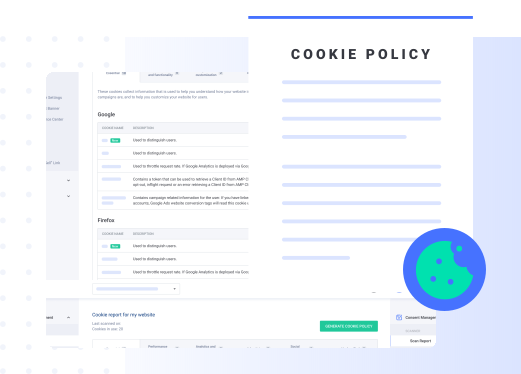
Once installed, the plugin guides you through a quick setup process: you enter your site details, run a cookie scan, and generate a live cookie consent banner and a cookie policy tailored to your site.
This makes it easier to identify which cookies your plugins, themes, and embedded tools use so you can apply the appropriate disclosures and controls.
The plugin also includes features that are especially useful for WordPress sites, such as:
- Automatic cookie scanning to detect and categorize cookies
- Customizable cookie consent banners (text, fonts, colors, and layout)
- Multiple banner display styles (bar, corner tooltip, or full-screen modal)
- Regional display rules to show banners only where required
- Multi-language support for global audiences
- Auto-blocking to help prevent non-essential scripts from loading before consent
Because many plugins for WordPress automatically load tracking tools, the auto-blocking feature is particularly important.
It helps detect and block known trackers until a visitor has made a consent choice, reducing the risk of cookies loading too early.
Behind the scenes, the plugin is powered by Termly’s Consent Management Platform (CMP).
Through the CMP, site owners can manage consent settings, cookie categorization, and banner behavior in one centralized place. The platform also supports:
- Integration with Google Consent Mode v2 and Google Tag Manager
- IAB TCF v2.2 vendor framework support for advertising use cases
- A built-in cookie preference center for ongoing user control
- Consent logging for record-keeping and audits
- Recognition of universal opt-out signals like Global Privacy Control (GPC)
Together, the plugin and Termly’s CMP provide a practical way to manage cookie consent across plugins, third-party tools, and embedded content, helping site owners deliver a transparent and user-controlled privacy experience without disrupting site performance or design.

Written by Hanna De La Garza
Hanna De La Garza is a privacy writer at Termly with a Bachelor’s Degree in Journalism from the University of Florida. She creates engaging resources on data privacy, consent management, regulatory updates, and more.
Read all posts by Hanna De La Garza
Reviewed by James Ó Nuanáin, CIPP/E, CIPM, CIPT
James Ó Nuanáin is an Information Privacy Professional with a Bachelor of Laws (LLB) from the National University of Ireland and a Master of Laws (LLM) from Leiden University in 2016.
Read all posts reviewed by James Ó Nuanáin, CIPP/E, CIPM, CIPT