


Yes, real estate agents with websites that use internet tracking technologies like cookies or tags need to manage user consent in line with privacy laws.
These laws give your clients rights and control over how cookies collect and use their personal information, whether they’re coming to you to buy a home or looking to sell.
Follow the legal guidelines or risk getting fined by regulatory authorities, being forced to stop the data processing, and irreparable harm to your brand’s reputation.
This is part of Termly’s ‘Ask the Privacy Experts’ series, where a member of our team briefly answers one of the top questions we hear from businesses about how data privacy and consent management impacts them.
Why Do Real Estate Websites Need to Manage User Consent?
Cookies can collect personal information about your clients, and this is a huge responsibility.
Homebuyers can come from anywhere in the world. Because of this, privacy laws like the General Data Protection Regulation, ePrivacy Directive, California Consumer Privacy Act, and other U.S. state privacy laws might apply to you.
If you fail to meet the consent requirements outlined by these laws, you might be heavily fined or penalized by supervisory authorities.
Not properly managing user consent can also hurt your real estate business’s reputation.
Modern consumers know that websites placed trackers on their browsers, and they want choice and control over if and how these technologies are used.
Trust between a real estate agent and a home buyer or seller is key. Don’t risk losing it simply because you don’t have a properly configured consent banner and cookie policy on your site.
Learn more about when websites need to manage cookie consent in our video below.
What Cookies Do Real Estate Websites Use That Collect User Data?
Like most modern websites, real estate sites use internet cookies, tags, pixels, and other common internet tracking technologies. These can help websites function properly, but they can also collect personal information about home buyers and sellers.
Learn about the most common types of cookies and trackers used by real estate websites in the table below.
| Types of Cookies/Trackers | What They Do | Is Consent Required? |
| Analytics cookies | Tracks page views, time spent on listings, and internet search behaviors | Yes |
| Advertising/retargeting cookies | Tracks which properties a client views and shows targeted ads later on | Yes |
| Session Cookies | Tracks client activity during a single browsing session and is used for navigation, form submissions, and property searches | Sometimes |
| IDX/MLS tracking scripts | Monitors online behaviors like properties viewer, search criteria (pricing, location, number of bedrooms/bathrooms), and saved listings | Yes |
| Lead tracking/attribution cookies | Monitors where a client came from, i.e., an ad, email, or referral | Yes |
| CRM tracking tools | Tracks client behaviors and links it to contract profiles, may feed into systems like kvCORE, BoomTown, or Follow Up Boss | Yes |
| Third-party tracking technologies | Map embeds, virtual tours and video players, mortgage calculators, and even chatbot tools track and monitor client online behaviors | Yes |
| Strictly necessary/functional cookies | These help websites work properly and are used to keep users logged in, save privacy preferences, or enable basic website operations | No |
How Can I Manage User Consent on My Real Estate Website?
To manage user consent on your real estate website, you’ll need the following solutions:
- Cookie consent banner: A properly configured cookie banner should pop up for new users as soon as they land on your site. It should inform them that your site uses cookies and enable them to choose if they agree to them.
- Cookie policy: An accurate, up to date cookie policy should be available to clients, so they can read about what cookies your site uses, what they do, and why you’re using them. Link it to your cookie consent banner and publish it in the footer of your site so users can always access the document.
- Consent preference center: Privacy laws give your clients the right to change their minds about cookies and trackers at any time, and having a preference center on your site helps you easily align with this guideline.
Solutions like Termly’s Consent Management Platform includes all these features and more, like script autoblocking, multi-language support, and regional consent rules.
It’s easy to install and features responsive, lightweight code that anyone can use, no matter what level of technical experience you have.
Take the confusion out of compliance and let Termly handle the hard parts for you.

Written by Amanda Lee, CIPP/US
Amanda is a Documentation Specialist and Certified Privacy Professional (US). She converts product documentation into easily understood product for Termly's customers. She also has strong understanding of US privacy laws and regulations, helping to keep customer policies up to date at a time when US states are enacting more and more privacy laws.
Read all posts by Amanda Lee, CIPP/US
Reviewed by Masha Komnenic CIPP/E, CIPM, CIPT, FIP
Masha Komnenic is a legal counsel and Termly’s Director of Global Privacy, who received her law degree from Belgrade University. She specializes in implementing, monitoring, and auditing business compliance with privacy regulations (HIPAA, PIPEDA, ePrivacy Directive, GDPR, CCPA, POPIA, LGPD).
Read all posts reviewed by Masha Komnenic CIPP/E, CIPM, CIPT, FIP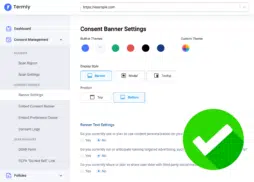
FREE Cookie Consent Solution